macOS Utility
BoltBurz
Keep your Mac awake only when needed, with a minimal control surface built for focused workflows.

macOS Utility
Keep your Mac awake only when needed, with a minimal control surface built for focused workflows.
BoltBurz is a refined macOS utility tailored for professionals who work across multiple systems and need precise control over their Mac’s behavior. Quietly operating from your menu bar, it ensures your machine remains awake and responsive during critical workflows-whether you're monitoring secondary systems, managing processes, or waiting on long-running tasks to complete.
Built with a dual-layer strategy, BoltBurz leverages native macOS power management APIs alongside minimal mouse movement simulation to effectively prevent system sleep and idle timeouts. This ensures both system and display responsiveness without interfering with your active work.
The app is privacy-first by design: it collects no telemetry, no analytics, and no user data of any kind-your experience remains entirely on-device and under your control.
BoltBurz is free on the App Store, and we welcome your suggestions for new features and improvements. It's engineered for simplicity, trusted for reliability, and built to serve your focus-no sleep, no surprises.
At home on your Mac
Explore some screenshots of BoltBurz running natively on macOS.
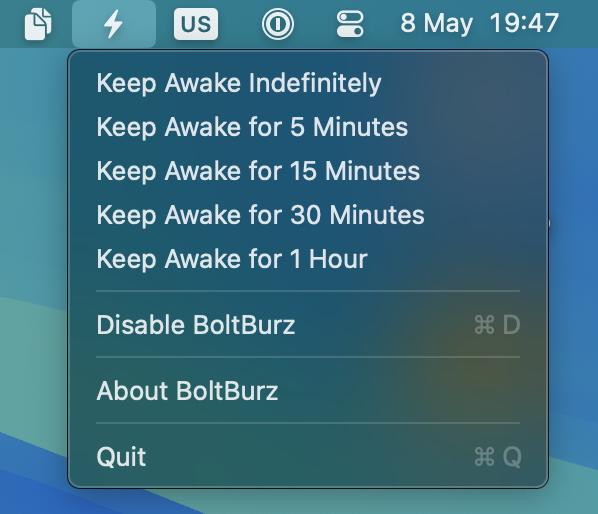
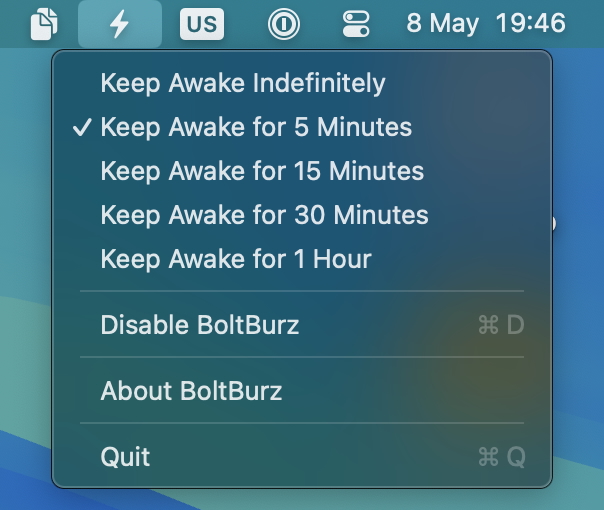
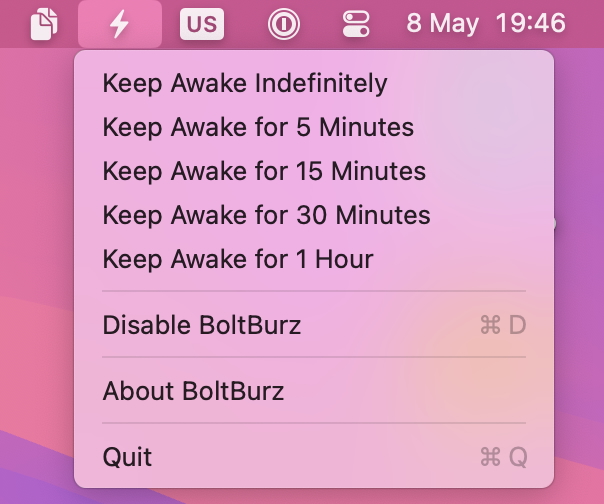
Set awake duration and lock behavior in one compact menu.
Changelog
Release notes for BoltBurz on macOS.
BoltBurz 1.1 adds custom keep-awake intervals, refreshed Tahoe / Liquid Glass app icon artwork, and polish across About, notification, and icon handling.
Download BoltBurz for free, or explore the complete macOS lineup.
